How to Obtain an International Driving Permit 2026 - Which Apps Can You Use? Summary of Steps, Documents, and How to Book a Queue Online
Nattamon KhonngamPublished on: September 11, 20268 min read102 views

Planning a trip abroad and renting a car to drive yourself is one of many travelers' dreams, because it provides freedom and access to new places more than anything else. But the one thing that is absolutely necessary is "International Driving Permit (IDP)"
Many people when thinking about doing official documents may feel discouraged, because they don't want to waste time taking leave from work, don't want to battle through traffic to wait in line at the transport office. But the good news is that in 2026, the Department of Land Transport has developed the system to be more aligned with the digital age. We can now handle the international driving permit through "applications" on smartphones!
This article by Mido Car Rental will dive deep into how many apps are available for applying for an international driving permit in 2026? How does each app work differently? Along with a summary of step-by-step procedures and documents needed in a way that once you finish reading, you can follow along right away
Getting an international driving permit in 2026 through applications - How many apps are there? Which one should you choose?
If you want convenience in handling your international driving permit, there are currently 2 main applications that support the service, which you can choose to use according to your needs and urgency, as follows:
1. "Paotang" Application - For the laid-back who want to receive at home 100%
Suitable for: Those who have time to prepare in advance, don't need documents urgently, and don't want to travel to the transport office at all, not even a single step
Highlights: You can complete the entire transaction through your phone, from filling in information, uploading photos and documents, paying fees, and waiting to receive the international driving permit book which will be delivered to your home via Thailand Post
2. "DLT Smart Queue" Application - For the urgent who want the book immediately
Suitable for: Those who are flying in a few days, need documents urgently, need to get the book within that day
Highlights: It's an app for "booking a queue online in advance" to go to the transport office, helping you lock in a time so you don't have to wait in line endlessly, go at the scheduled time, submit documents, pay, and receive your book to take home within 15-30 minutes
Deep dive! How to get an international driving permit through the "Paotang" app (100% online)
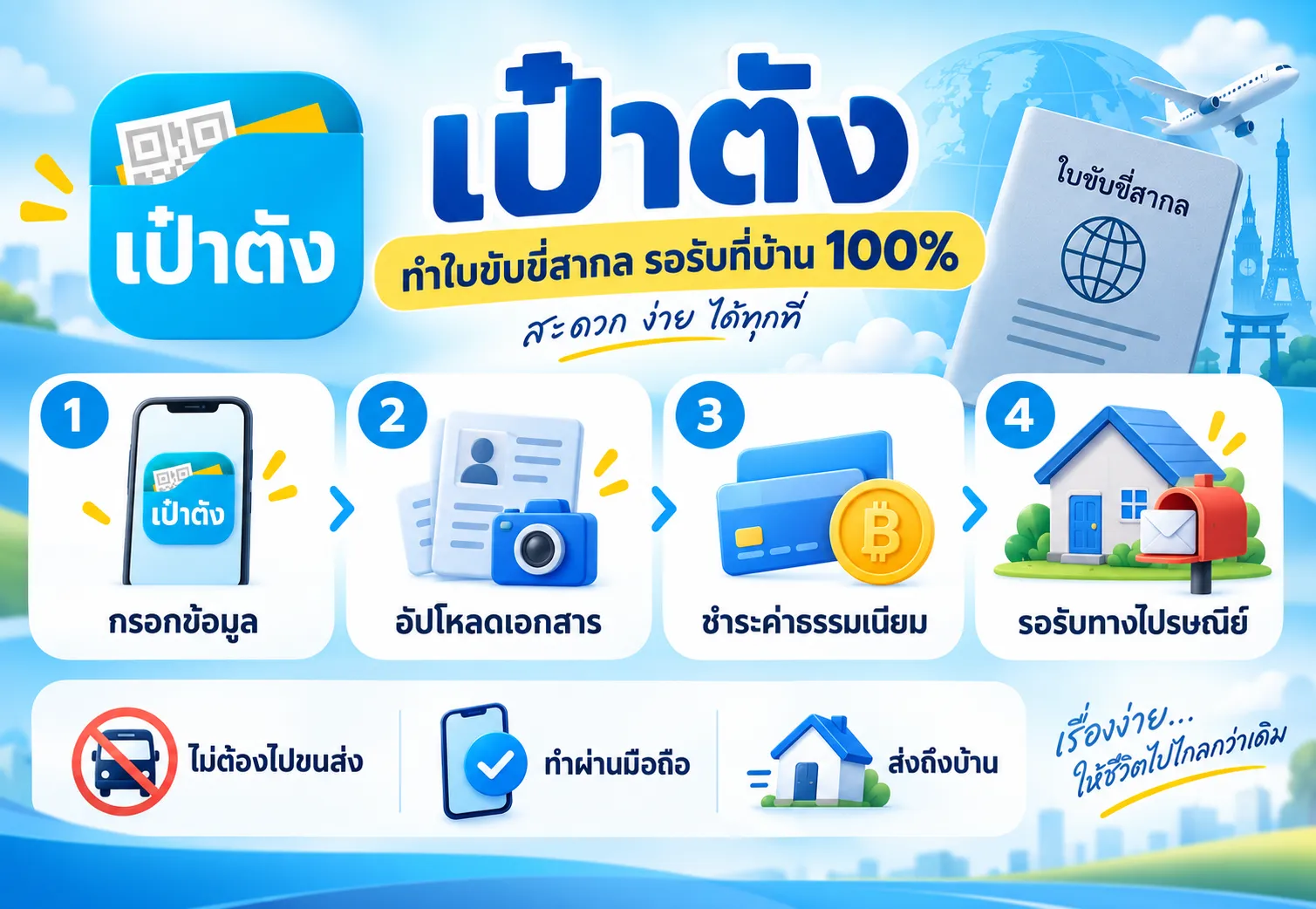
For those who choose to receive documents at home leisurely, here are the things you need to prepare and the steps for processing through the Paotang app:
Documents to prepare (image files for uploading)
Since it's done through an online system, you will need to prepare image files on your phone ready to go, for quick uploading:
Passport-style photo: Size 2 inches, taken within 6 months, white or blue background, dress respectfully, no hat and no dark sunglasses (recommended to go to a shop and request the image file to keep)
Passport: Take a photo of the personal information page (the page with your photo), must be a book that hasn't expired, take a photo so the information is clear, not reflecting light
Personal car driving license (Thai): Take a clear photo of the card front. Important: Must be a 5-year or lifetime driving license only! (2-year temporary driving license cannot be used to apply for an international driving permit)
Steps for processing through the "Paotang" app
Open the "Paotang" application and log in with your PIN code
Go to the home page, scroll to find the "Services" (Service) menu category
Select the service provider "Department of Land Transport"
Look for and select the menu "International driving permit"
The system will ask you to read the terms and conditions, click accept to proceed
Choose the type of convention that matches the country you will visit (see details about conventions in the next section)
Fill in your personal information completely, and upload the document files you prepared (photo, passport, driving license)
Specify delivery address: Enter your current address where you want Thailand Post to deliver your international driving permit book
Pay: The system will summarize the fee of 505 baht (and may have additional postage charges) You can click confirm to charge your account or G-Wallet in the Paotang app right away
All done! You can check the processing status and tracking number through the app
(Note: Delivery time depends on the area and postal service. Recommended to allow at least 7-14 business days before traveling)
How to book a queue through the "DLT Smart Queue" app (For those going to the transport office)
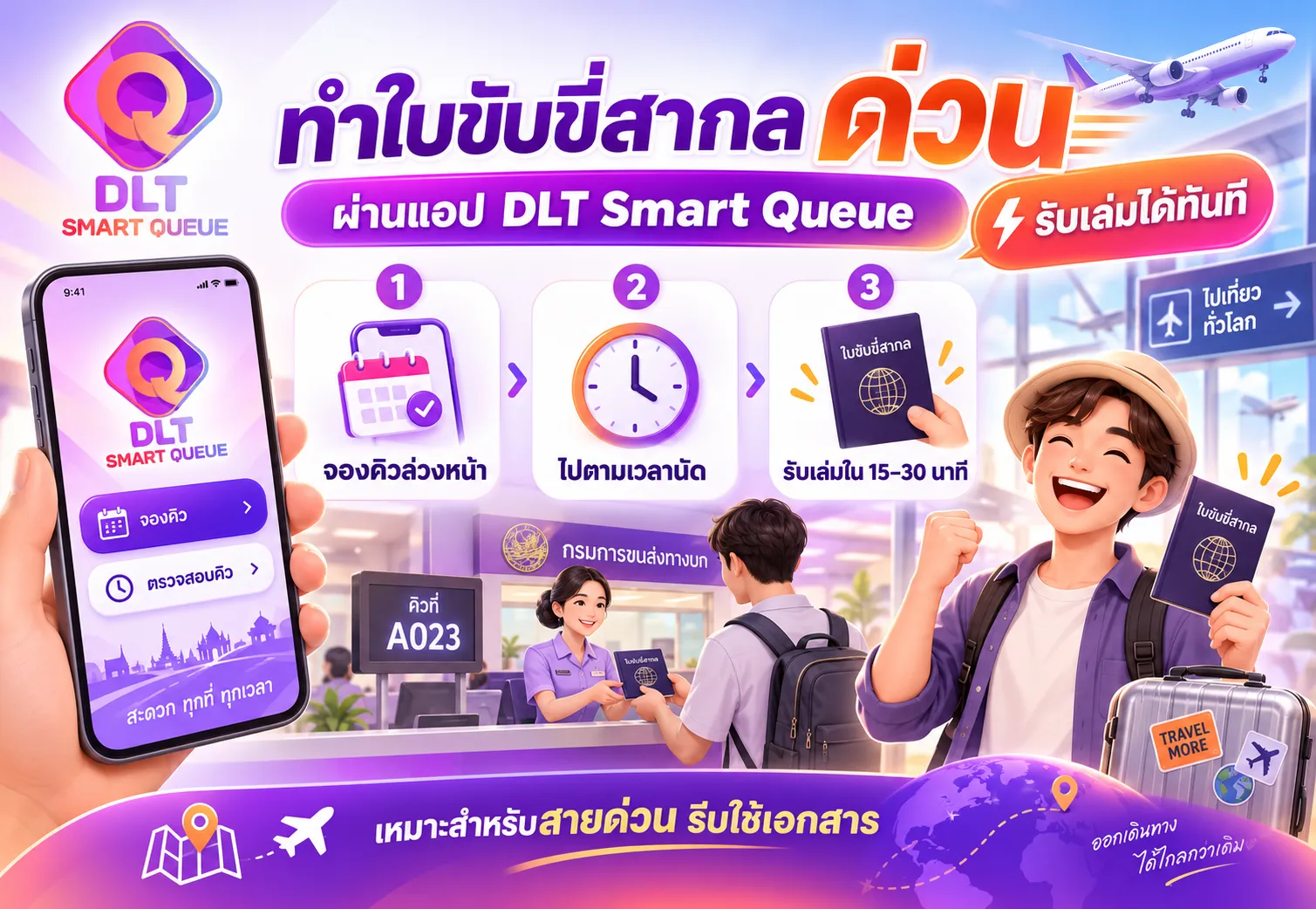
If you can't wait for the mail, booking a queue through the DLT Smart Queue app to go to the Department of Land Transport (any branch throughout the country) is the best solution
Steps for online queue booking
Download and open the DLT Smart Queue app (supports both iOS and Android)
Register to use the service with your ID card (if this is your first time)
Select the "Transport office" province and branch that is most convenient for you to travel to
Select the "License work" menu
Select the service type "Personal driving license" > "International driving permit"
The system will display a calendar, select the date and time slot that still has available queue
Click confirm the booking, the system will generate a QR Code, take a screenshot of this page to keep it to show to the officer on the appointment day
(Recommendation: On the appointment day, bring the original documents and copies of your passport, ID card, 5-year Thai driving license, and 2 passport-size photos, go to the service counter at the booked time. The counter service takes only 15-20 minutes to receive the book immediately)
Trivia: International driving permits come in 2 types - Which one do you need to choose?
When getting an international driving permit, whether through the Paotang app or going to the transport office, you will need to choose which convention to follow. Currently Thailand supports 2 types, as follows:
Geneva Convention 1949:
Period of validity: 1 year
Valid in how many countries: 102 countries (such as USA, Australia, Japan, South Korea, New Zealand)
Vienna Convention 1968:
Period of validity: 3 years (or equal to the remaining validity of your Thai driving license, if it has less than 3 years remaining)
Valid in how many countries: 86 countries (mostly European countries, such as Germany, Italy, Switzerland, France, Russia)
💡 Important tip: If you plan to drive across countries, or the destination country (such as United Kingdom) is a party to both conventions, you can express your intention to request an international driving permit that covers both conventions in the same book, at no additional cost!
Frequently asked questions (FAQ)
Q1: How many days does it take to get an international driving permit online through the Paotang app?
A1: Normally after payment and the system verifies your documents, the Department of Land Transport will prepare and send it via EMS, which will take a total of approximately 5-7 business days (not including holidays). Recommended to apply at least 2 weeks before your flight
Q2: If my Thai driving license has expired, can I get an international driving permit?
A2: No you cannot. Your Thai driving license must still be valid, and must be 5-year or lifetime type only. If it's about to expire, recommended to renew your Thai driving license first
Q3: When I arrive in a foreign country, can I just use the international driving permit alone?
A3: Absolutely not! The international driving permit is merely a "language translation document" to confirm that you are authorized to drive in your home country. Therefore, you must carry your original Thai driving license (smart card type) together with your international driving permit at all times, when foreign police ask for inspection, or when picking up a rental car at the counter
Summary
See how getting an international driving permit is truly "very easy"? The era of having to wait in line since early morning is over. All you need is one smartphone, you can choose to do it 100% online and wait to receive it at home through the "Paotang" app, or if you're really in a hurry, just click to book a queue through the "DLT Smart Queue" app and walk smoothly into the transport office without waiting long in line!
Prepare your documents, download the app and install it on your phone, then get ready to pack your bags and go on the road trip adventure of your dreams!
About the author

Nattamon Khonngam
Online Marketing
Bachelor of Business Administration, Kasetsart University (2014-2018)
Master’s Degree in Marketing and Management, Western University (Current)
Online Marketer, specializing in Content Marketing, SEO & Digital Marketing
Skilled in AI, Data Analytics, Content Strategy & Digital Marketing